 Booking & TripAdvisor
Export Booking & TripAdvisor Reviews to CSV
Export hotel and travel reviews from Booking.com and TripAdvisor to CSV, Excel or JSON. Both rating scales preserved, one extension for both platforms.
Launching soon. Read the guides below to get ready.
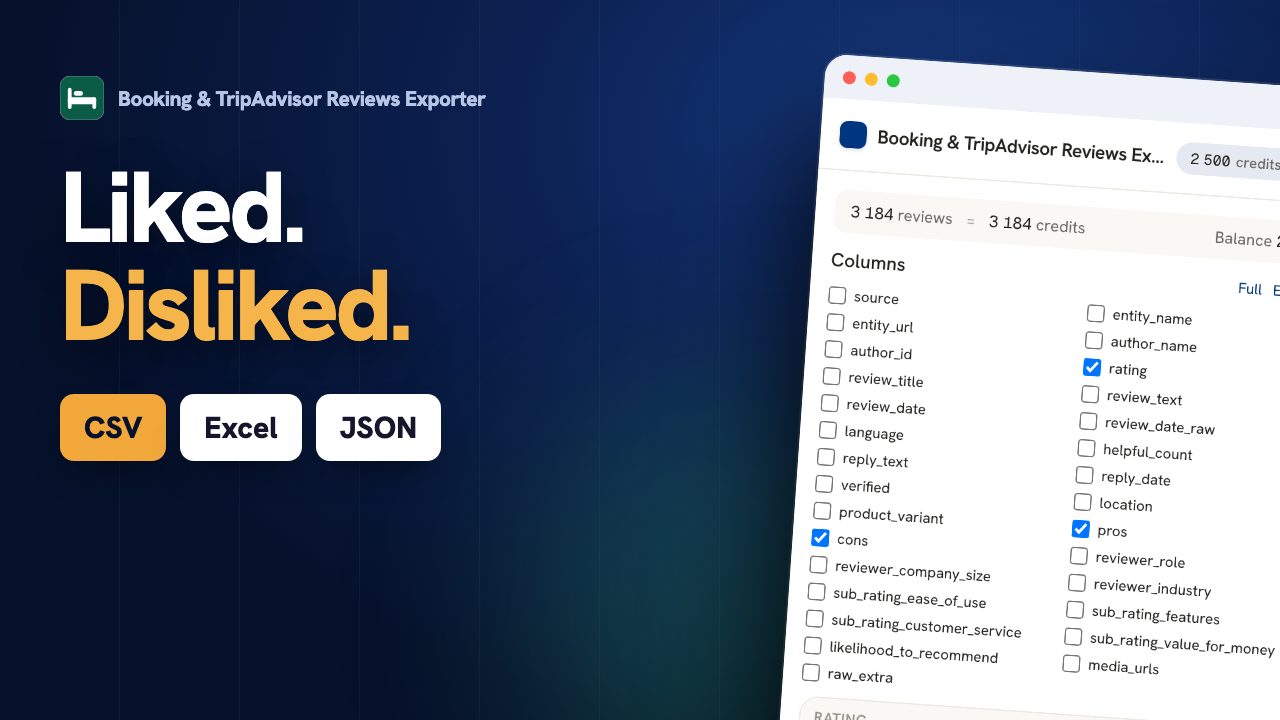
Exporting Booking.com and TripAdvisor reviews to CSV or Excel lets hospitality teams read guest feedback as data. The two platforms do not collect the same thing, and the export says which is which: Booking gives what guests liked and disliked as separate fields, plus the traveller's country and stay dates; TripAdvisor gives a review title and a narrative body. Both give the score, the stay period and the manager's reply.
From Booking & TripAdvisor page to spreadsheet, live
The same stay, scored on two different scales
A property is almost never reviewed on one platform only, and the two do not measure the same thing. Booking scores out of ten and asks guests to split what they liked from what they did not; TripAdvisor scores out of five and leans on narrative. Converting one into the other to get a single number is the most common mistake in hospitality reporting, and it produces a figure that means nothing. The export keeps each platform on its own scale and puts them side by side, which is the only honest comparison. What it reveals is usually a gap in perception rather than in service: the same property can read as reliable on one platform and disappointing on the other, because the audiences differ. The manager reply is exported too, so you can see where the answering effort actually went.
| Platform | Reviews | Average | Scale |
|---|---|---|---|
| Booking.com | 1 240 | 8.6 | out of 10 |
| TripAdvisor | 486 | 4.1 | out of 5 |
Export Booking & TripAdvisor reviews in three steps.
Open a Booking & TripAdvisor review page
Browse to the Booking & TripAdvisor page whose reviews you want. You stay logged in with your own session.
Click the ExportReviews icon
The side panel detects the page, shows the entity and the number of reviews, and lets you pick filters.
Preview, then export
Reviews load into a live preview. Export to CSV, Excel (XLSX), JSON in one click, generated locally.
Fields exported from Booking & TripAdvisor.
Only fields Booking & TripAdvisor actually exposes, to CSV, Excel (XLSX), JSON. We never invent data.
Why export Booking and TripAdvisor reviews.
Hotels and rentals live and die by their score, but the score hides the reasons. Exporting the reviews lets you separate what guests loved from what they flagged, compare how the same property is perceived on Booking versus TripAdvisor, and track whether management replies address the real issues.
Guest sentiment for a property
Split the positive and negative points into columns to see exactly what drives or drags your score.
Compare across platforms
Line up Booking and TripAdvisor feedback for the same hotel to catch differences in audience and tone.
Track manager replies
Check reply coverage on negative reviews, where a good response matters most.
Built for hotels, rentals, and hospitality reputation teams.
What the analysis reads on Booking and TripAdvisor.
Booking splits a stay into what guests liked and what they flagged; TripAdvisor does not, and leans on a title and a narrative instead. Both carry manager replies. Where the split exists it is the best signal available, because it comes from the guest rather than from a sentiment guess applied to the text afterwards.
- The words that separate a good stay from a bad one, taken from the guests' own positive and negative points.
- Manager-reply coverage across the property.
- Score distribution, with every review also carrying its original value and scale so a Booking 8.6/10 never reads as 8.6/5.
One balance across every exporter.
1 credit = 1 row. Start free, no account. Credits never expire.
Insights
$14.99/moThe full analysis of the reviews you extract: what stands out, the breakdown by segment and by criterion, the recurring themes, and a shareable report you can export.
Adds to any plan and does not replace one: Insights analyses, it does not export rows. Everything is computed on your own machine. Included in Agency.
Learn Booking & TripAdvisor review export.
Analysing Hotel Reviews at Scale, Without Drowning in Text
Once you have exported hundreds of hotel reviews, what do you actually do with them? A practical method for turning Booking.com and TripAdvisor exports into decisions.
GuideBooking.com vs TripAdvisor Rating Scales: How to Compare Them Correctly
Booking.com rates out of 10, TripAdvisor out of 5. Mixing them in one analysis without converting is a common and costly mistake. Here is how to normalise them without losing information.
GuideHow to Export Booking.com and TripAdvisor Reviews to CSV
A guide to exporting hotel and travel reviews from Booking.com and TripAdvisor, including the two different rating scales and the positive/negative split that generic tools mangle.
Booking & TripAdvisor export, answered.
Are Booking and TripAdvisor scores comparable? +
Only with care, and the file gives you what you need to be careful. Every review carries a normalised 0-5 rating so rows from both platforms can sit in one spreadsheet, and beside it the ORIGINAL value with its scale, so a Booking 8.6/10 stays visible as 8.6/10. What the export will not do is hide the conversion: the two audiences differ, and a single blended average across both platforms is a figure worth distrusting.
Does the export keep the positive and negative points separate? +
Yes, where the platform separates them. Booking asks guests to list what they liked and what they did not, and that split comes from the guest rather than from a score threshold, which makes it far more reliable than any sentiment guess applied afterwards.
Can I export reviews for a property I do not manage? +
Yes, these are public pages. Competitive benchmarking between properties is the most common use. Keep the analysis at the level of themes and scores rather than compiling files on named guests.
How do I export Booking & TripAdvisor reviews to CSV? +
Install the ExportReviews extension, open a Booking & TripAdvisor review page, click the icon, then click Export CSV. The file is built in your browser.
Where does my data go? +
Nowhere. Extraction happens in your browser and the export file is generated locally. The backend only tracks export credits, never review content.
Which formats are supported? +
CSV, Excel (XLSX), JSON. CSV uses a UTF-8 BOM so accents and emoji open correctly in Excel.
Is there a free tier? +
Yes. The first 25 exported rows are free, without an account. Credits bought afterwards do not expire and are shared across every ExportReviews exporter.


